
Overview
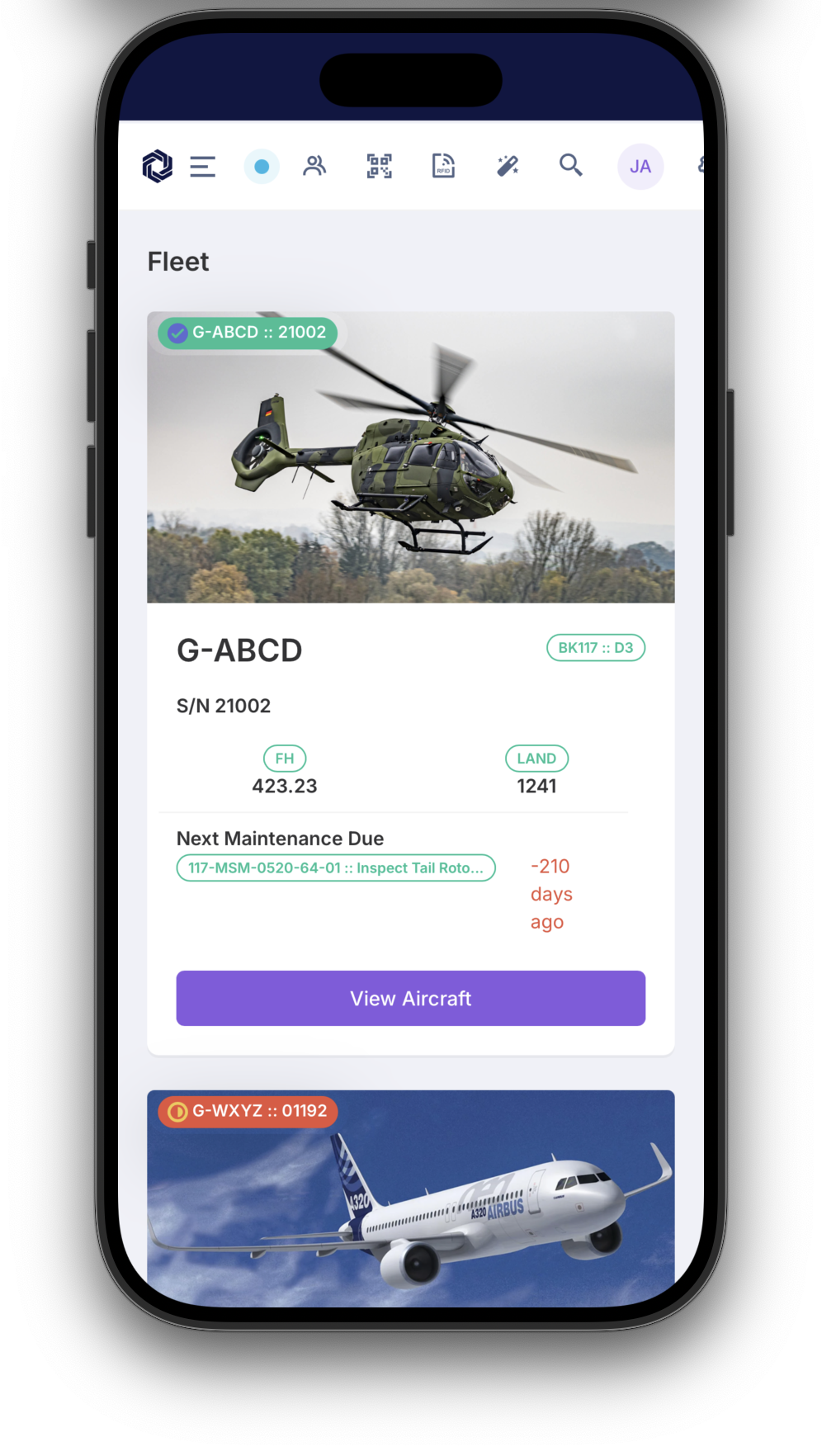
The AirOS app is the Electronic Flight Bag for the same operational record as the web platform — not a separate logbook. It is available on iOS and Android for entitled users of your organisation (not a separately listed priced module). Crews work offline with PIN authentication, QR provisioning, and auto-sync when connectivity returns. Scheduled sectors land under a daily tech log book per aircraft; regulatory print and the pilot QR flow share that structure.
Once ops confirm a trip on the schedule, owners add boarding passes and crew add duty passes to Apple Wallet (and Apple Watch). When the device has no data, an SMS incident report can still reach OCC and Safety if cellular SMS is available. A native document scanner with page detect feeds ARC-as-a-service and Document Control import. A line-worker session can arm a cancelable pre-alarm before a Safety incident is created.
E-techlog, load sheet, and owner booking use Flight Log, Mass & Balance, Schedule, and Customer Portal as contracted.
Features
- Offline-first EFB: Full tech log and schedule workflows without internet — PIN auth, QR setup, and auto-sync when connected
- Unified e-techlog: Scheduled sectors create sector legs under a daily tech log book per aircraft, shared with web and print
- Apple Wallet passes: Boarding, crew duty, passenger tickets, and employee ID on iPhone and Apple Watch after ops confirm the trip
- Native document scanner: Camera page-detect and crop adds PDFs to ARC-as-a-service and other document import flows
- SMS incident fallback: When the device has no data, a cellular SMS can still enter the same OCC and Safety workflow — it requires a working SMS service
- Line-worker alarm: Optional armed session with cancelable pre-alarm on stillness, likely fall, or SOS; a Safety incident is created only after escalation, not because the app “knows” someone is down
- Load sheet on device: Mass and balance workstation, seating manifest, and interactive diagram in mobile-friendly tabs
- Owner booking on iPhone: Owners request trips, see map confirmation, and add boarding passes from the same app as crew