Maintenance and line work still happens in places with poor signal, limited supervision, and real injury risk. Organisations respond with lone worker policies, periodic check-ins, and escalation paths—but those controls often live outside the system where work is actually recorded. When the timer, the task, and the safety response are disconnected, audits show good intent while operations still rely on someone noticing a missed text.
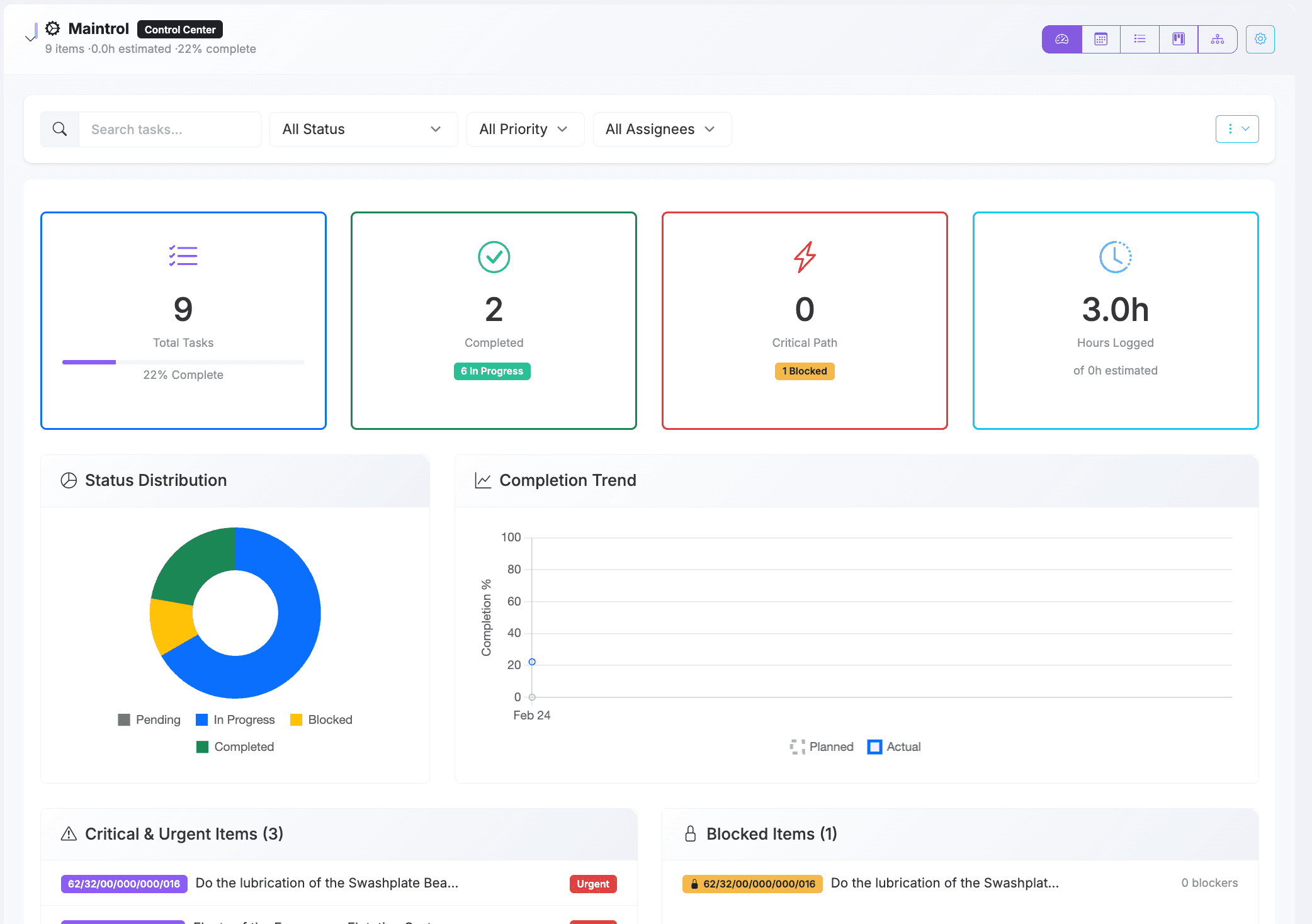
AirOS embeds lone worker protection in the same flow engineers already use to clock time against maintenance tasks and defects: the header time tracker, linked to Maintrol reporting on complied work package items. That coupling matters. A welfare check is not an abstract “user account” event; it is tied to who is working, what they are working on, and how long they have been on the job.
Where lone worker mode lives in daily maintenance work
From the clock icon in the application header, engineers start or resume time management entries against the task or defect they are addressing. When lone worker mode is enabled on an active timer, AirOS expects a check-in on a configurable interval (commonly every 15 minutes, with a short grace period). Pausing the timer pauses the lone worker deadline—reflecting that a deliberate break is not the same as an unresponsive engineer on task.
- Enable lone worker mode per active timer while work continues on a linked maintenance entry.
- Check in from the time tracker to reset the deadline without stopping the job timer.
- Receive in-app warnings shortly before a check-in is due, with optional desktop notifications when the browser allows.
- Keep Maintrol task reporting aligned: clocking on or off through the header updates the Maintrol card on complied tasks and defects where your organisation uses work package planning.
Because the timer references the underlying entry—aircraft defect, plan task, or other complied item—any escalation carries operational context (registration, task reference, work package) instead of a generic “user inactive” alert.
Two-stage escalation: welfare first, Safety team second
A missed check-in should not instantly flood your safety desk with false alarms. AirOS uses a deliberate sequence designed to verify the engineer’s wellbeing before involving the wider response chain.
1. AI welfare call to the engineer
When the check-in window expires, AirOS initiates an AI welfare call to the phone number on the worker’s user record (via the configured ElevenLabs welfare agent). The conversation is scoped to lone worker welfare: confirm the engineer is safe, understand whether they need assistance, and capture a structured outcome. While that call is in progress, the timer shows welfare status as pending so planners know escalation is underway—not forgotten.
If the engineer confirms they are safe, the platform records a welfare OK outcome, resets the check-in clock, and work continues without raising a Safety incident. That is the ideal path: fast human contact, minimal noise for safety managers, and a retained audit trail that a welfare attempt occurred.
2. Safety incident and handoff to your safety contacts
Safety teams are engaged when welfare cannot confirm the engineer is OK—if they request help, do not answer, the call fails, or the welfare window times out. AirOS then creates a Safety-type incident linked to the source timer, including worker identity, tracked work context, last check-in time, and welfare outcome notes where applicable.
Configured Safety contacts on the organisation incident settings receive notification through the same incident channel used for other urgent operational events: SMS with a link to review the incident, followed by an AURA voice call that summarises what is known and invites the recipient to respond. The incident record becomes the handoff point for your internal procedures—duty manager, SMS investigation, or emergency services—without forcing safety staff to reconstruct context from a standalone alarm app.
Coverage when the engineer closes the laptop
Hangar and line work does not always happen with the web application in the foreground. A server-side watchdog runs on a short interval (every two minutes) across tenants, evaluating active lone worker timers even when no browser tab is open. The client also polls while the app is active, so engineers get timely reminders and escalations are not solely dependent on someone keeping AirOS open on a tablet.
Configuration your safety and IT leads should expect
- Default check-in interval per user (stored in time tracker preferences) and per-timer overrides when lone worker mode is enabled.
- Organisation welfare agent and branch identifiers for the AI welfare call, plus a welfare call timeout before Safety escalation.
- Safety notification contact list on organisation incident settings—the users referenced when a lone worker alarm becomes a formal Safety incident.
- Twilio and ElevenLabs integration for SMS and voice, with webhook verification so post-call outcomes update the timer automatically.
If welfare calling is not yet configured, AirOS can still escalate directly to Safety contacts—so operators are not left without a path—but the two-stage model is the recommended operating posture for mature programmes.
Why this belongs inside Maintrol and time tracking
Standalone lone worker devices and apps solve part of the problem. They rarely know that the engineer was on a specific defect, under a particular work package, or halfway through a recorded labour segment. By anchoring protection to time management entries that Maintrol and maintenance planning already use, AirOS gives safety and engineering leadership a single narrative: who was on the task, how long they had been active, whether they checked in, what the welfare call concluded, and who was notified if the situation escalated.
That alignment supports both culture and compliance. Teams are more likely to adopt check-ins when the control sits beside the timer they already use. Investigators and auditors see correlated records instead of parallel systems that disagree after an event.
Practical adoption guidance
- Define which roles and locations require lone worker mode (for example line rectification, remote parking stands, or single-person hangar slots).
- Verify mobile numbers on user entries and test the welfare agent script with real engineers—not only safety managers.
- Agree timeout and interval values with your safety committee; overly aggressive intervals create alert fatigue, while long intervals delay genuine response.
- Run a tabletop exercise: missed check-in → welfare call → confirmed safe, and missed check-in → welfare timeout → Safety incident → AURA notification to duty contacts.
Lone worker protection is not a substitute for your approved risk assessments, permit-to-work systems, or emergency plans. It is a operational layer that reduces the gap between “we have a policy” and “the platform knew someone was alone on that task and acted when they went quiet.”
To see lone worker mode on the time tracker with Maintrol-linked tasks and your organisation’s Safety contact routing, request a demo. We can walk through configuration, welfare call behaviour, and incident handoff using your real roles and bases.